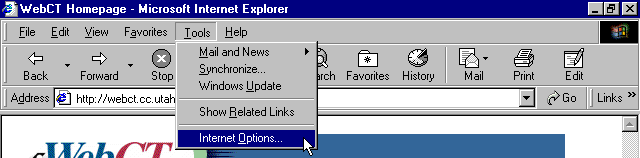
If you are running Internet Explorer, here are instructions on how to enable JAVA.
Step 1: In your IExplorer window, open the Tools menu and choose Internet Options...
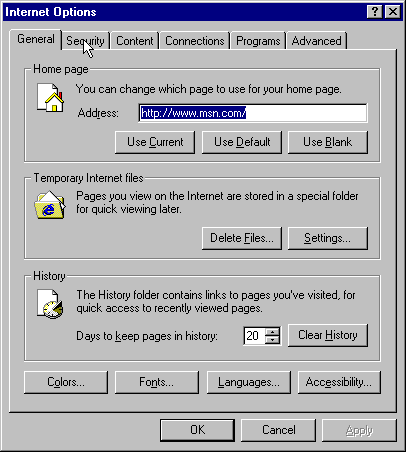
Step 2: In the Internet Options window, click on the Security tab.
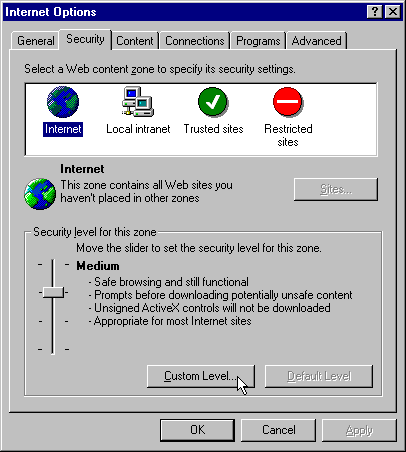
Step 3: In the Internet Options Security window, click on the Custom Level... button.
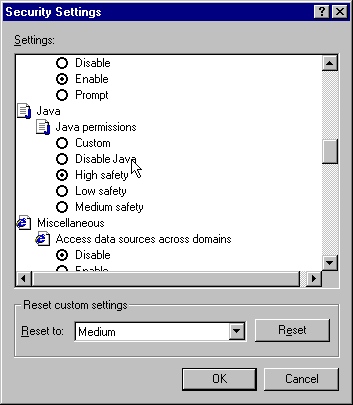
Step 4: In the Security Settings window, scroll down until you see the Java entry.
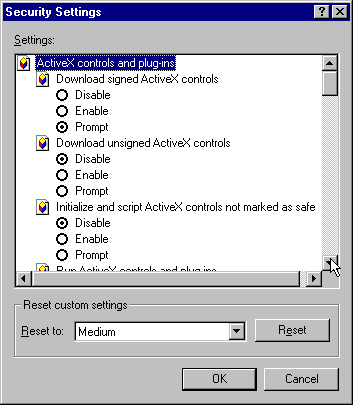
Step 5: Make sure that the Disable Java radio button is not checked.
Step 5: Click OK. You might need to restart your browser if you had to change settings. Also, it is a good idea to check all other security settings in your IExplorer. If you are not sure about what they mean, the default settings are probably recommended and you can use the Reset function to set all options back to MicroSoft default.