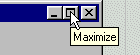
Because the window shots you are going to see are large, at about 640 by 480 pixels, it is a good idea to maximize the browser window before running a viewlet. To maximize your browser window just click on maximize in the upper right corner of this window.
Once the window is maximized just click on the viewlet link, sit back and relax. The viewlet will play itself as soon as it downloads to your PC. Idealy, you should have your screen at 1024 x 768 pixels and high color (16 bit) mode.
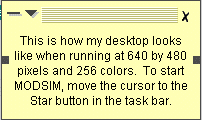
When you see a picture of my desktop inside this window, look for a memo or baloon on the image. You will have time enough to read its contents befor the slide is changed. Baloons and memos look like this: