System Data
Ore Characteristics
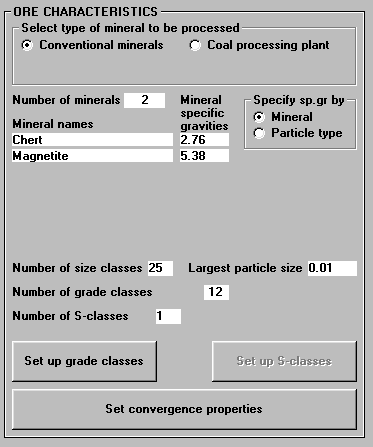
The ore contains two phases, namely Chert and Magnetite. Phase densities are 2.76 and 5.38 g/cc respectively. The maximum particle size is about 10 mm in the Cobber Concentrate and 25 sizes are more than enough. Set the number of grade classes to 12 and make sure that you are specifying specific gravities by Mineral.
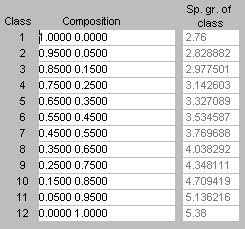
Click on Set up grade classes. Modsim automatically sets up 10 equally spaced grade classes and the two liberated ends. This is the standard setup for liberation data, and liberation is normally measured using these same grade classes when image analysis techniques are employed. Note that the densities of each of the 12 particle types are correctly calculated by Modsim.
At this stage, you should go ahead and set up the liberation model data, so click on the Specify liberation model data button. For this simulation we are going to use the Ljubljana model. Set the parameter to 50 and check the Calculate Andrews-Mika diagram check box.

Accept these parameters and then accept the specified particle types.
Feed stream data
We now need to specify the characteristics of the feed stream. Double-click on the feed stream number. For the size distribution you can use a Rosin-Rammler distribution with D63.2 = 1.4 mm and Lambda = 1.2, and 20 size classes. The feed rate is about 300 tonnes/hour and the solids content is about 70% in the Cobber Concentrate.
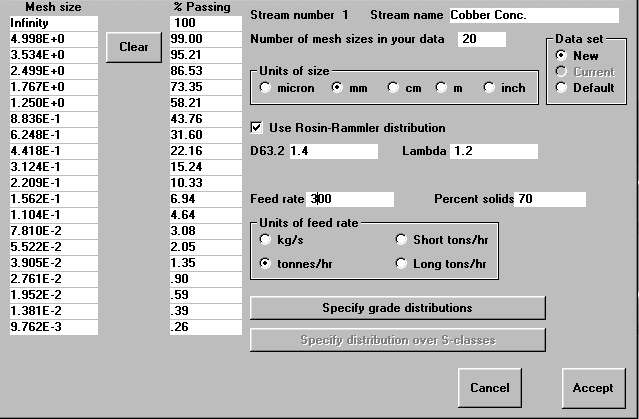
Normally, system data is complete at this stage when there is no liberation data available. In this case, the complete liberation spectra has been measured for the Cobber Concentrate stream. Click on Specify grade distributions.
Specifying grade distributions by hand demands time and is error prone. Fortunately, the liberation spectra can be imported from a file. Click on Import data from file, and browse your way to the DemoJobs directory in your Modsim installation directory. Double click on the LiberationData folder and select the cobcon.dat file. Click on Open.
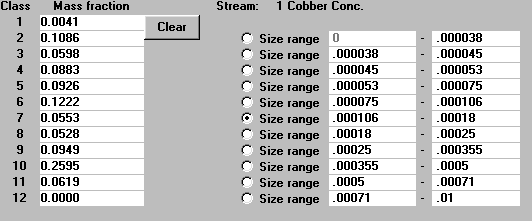
Click on the different Size range radio buttons to see the particle grade distributions that are associated with each size. This is the liberation spectra for a single stream and this data was measured by Image Analysis on a sample taken from the real plant. To see how this data looks like in a 3D chart, click here.
Accept this grade distribution and then accept the feed stream data.
Water addition streams data
Double-click on the water streams to specify water rates. All water streams in this job are specified by the percentage of solids in the Sump units. In this way, Modsim calculates how much water is needed so that the desired solids content is achieved. Specify 77% solids in the Ball Mill Feed sump, 50% solids in the Magnetic Drum Feed sump and 57% solids in the Hydrocyclone Feed sump. It is also a goog idea to add names to the water addition streams.
Closing remarks
No other system data is required but it would be nice to have all internal streams named as well. Click on Accept. You will see the following Notice window:
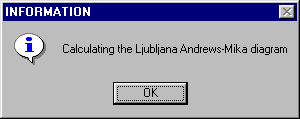
This is because we checked the "Calculate Andrews-Mika diagram for Ljubljana model on exit" when specifying the Liberation model. Modsim calculates several Andrews-Mika diagrams, one for each particle type specified, using the single model parameter PhiA. You will be able to see one of these Andrews-Mika diagrams once you completed the simulation.